


Theme Chooser ( Blue MIUI )


How to install:
1. Download the apk
2. Install it using a file manager.
3. Open the Theme Chooser and select it.
4. If it says the theme is missing assets for your devices, just hit "apply anyway".
5. Reboot
DOWNLOAD HERE
Theme Chooser ( MinimalBread )


How to install:
1. Download the apk
2. Install it using a file manager.
3. Open the Theme Chooser and select it.
4. If it says the theme is missing assets for your devices, just hit "apply anyway".
5. Reboot
DOWNLOAD HERE
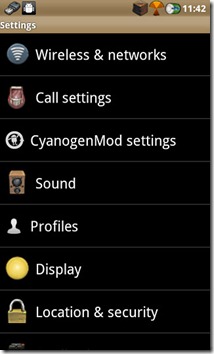
Theme Chooser ( BuuF )


How to install:
1. Download the apk
2. Install it using a file manager.
3. Open the Theme Chooser and select it.
4. If it says the theme is missing assets for your devices, just hit "apply anyway".
5. Reboot
DOWNLOAD HERE
Theme Chooser ( DarkGinger )


How to install:
1. Download the apk
2. Install it using a file manager.
3. Open the Theme Chooser and select it.
4. If it says the theme is missing assets for your devices, just hit "apply anyway".
5. Reboot
DOWNLOAD HERE
Theme chooser ( GingerBlurB )

How to install:
1. Download the apk
2. Install it using a file manager.
3. Open the Theme Chooser and select it.
4. If it says the theme is missing assets for your devices, just hit "apply anyway".
5. Reboot
DOWNLOAD HERE
Theme Chooser ( MotoBlur )


How to install:
1. Download the apk
2. Install it using a file manager.
3. Open the Theme Chooser and select it.
4. If it says the theme is missing assets for your devices, just hit "apply anyway".
5. Reboot
DOWNLOAD HERE
Theme Chooser ( Xperia Arc )


How to install:
1. Download the apk
2. Install it using a file manager.
3. Open the Theme Chooser and select it.
4. If it says the theme is missing assets for your devices, just hit "apply anyway".
5. Reboot
DOWNLOAD HERE


